 Ribbonfly Marquee
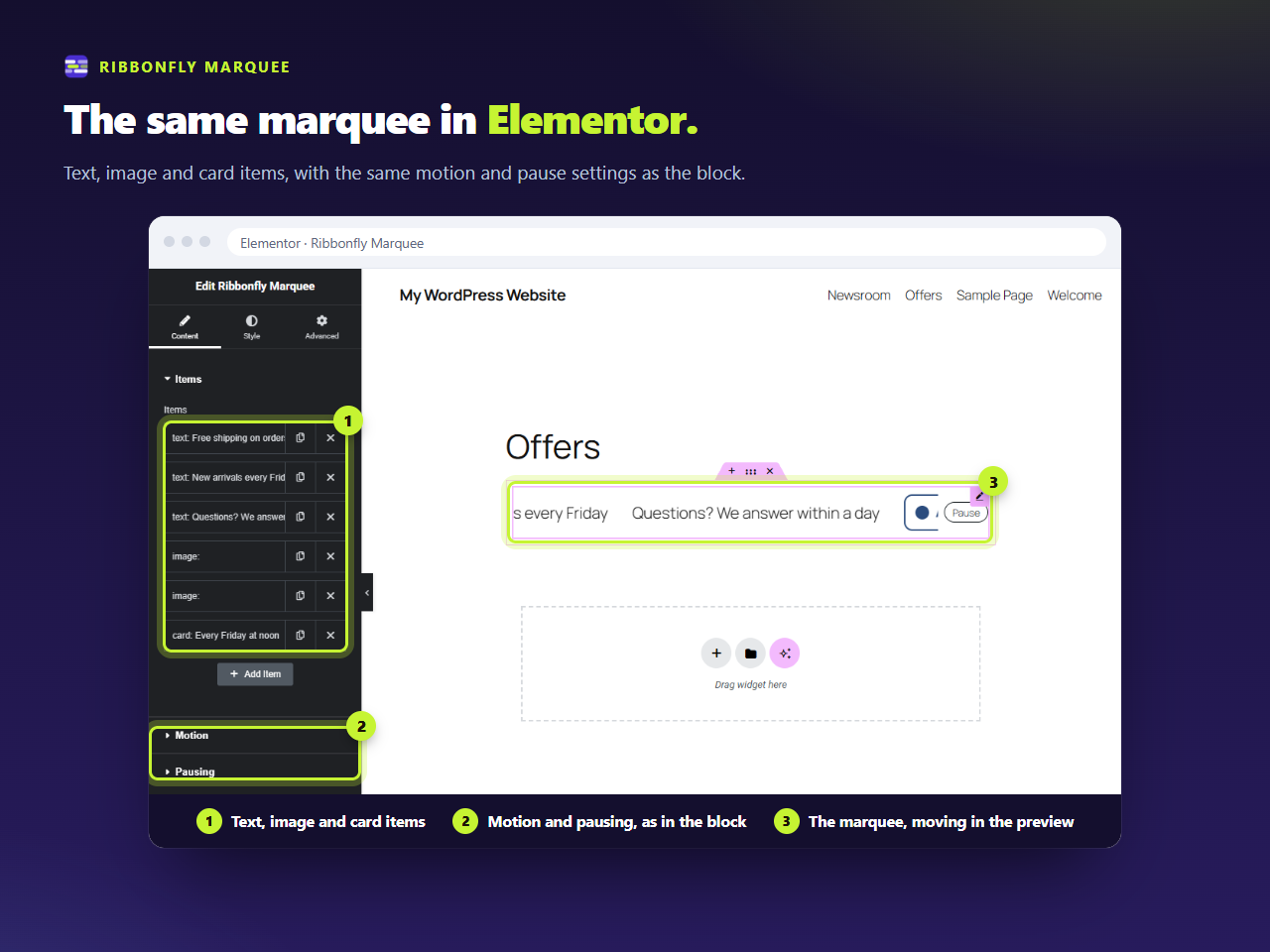
Find it in the panel
With the plugin active, the widget panel has a category called Ribbonfly Marquee. In it are two widgets: Ribbonfly Marquee, for any items you type in, and Ribbonfly News Ticker, which fills itself with your latest posts. Drag one onto a container and the strip appears with three example lines already in it.
The items
The marquee widget has one list, and each row in it is one of three kinds:
- Text — a line of text, an optional icon from Elementor's icon library, and an optional link.
- Image — an image from the media library, a description (alt text) for it, and an optional link.
- Card — an image, a title and a line of text, the whole card being the link. It suits reviews and team members.
If you leave the image description empty, the widget uses the one stored in the media library.
Motion and pausing
The Motion section has direction, speed (10 to 400 px per second), spacing, edge fade, and the height for a vertical strip. The Pausing section has the hover and focus switch, the Pause button setting and the label for screen readers. They are the same controls as in the block, because both are built from one shared list.
Style tab
Typography for the items, text colour, background colour and padding, with Elementor's usual responsive padding. Everything else about the look comes from the container the widget sits in.
Requirements and limits
The widgets need Elementor 3.20 or newer. On an older Elementor the plugin says so on the Plugins screen and on its own settings page, and the blocks keep working. It was tried on the free Elementor from the WordPress.org directory; Elementor Pro has not been part of those tests.